By
Peter Hunner
-
Throughout my entire career, despite requests from many retouching professionals, on-set production and post-production have been disconnected, functioning as separate units with separate communication pipelines. The shoot ends, the files ship out, and retouching starts from a cold open. Selects get re-explained. Markup gets recreated from memory. The most informed people in the room (the ones who were actually there) hand off a link and hope it lands somewhere useful.
We built VeryBusy because that handoff is where work often gets lost. Three releases this month are pointed at the same idea: the decisions you make on set should travel with the work.
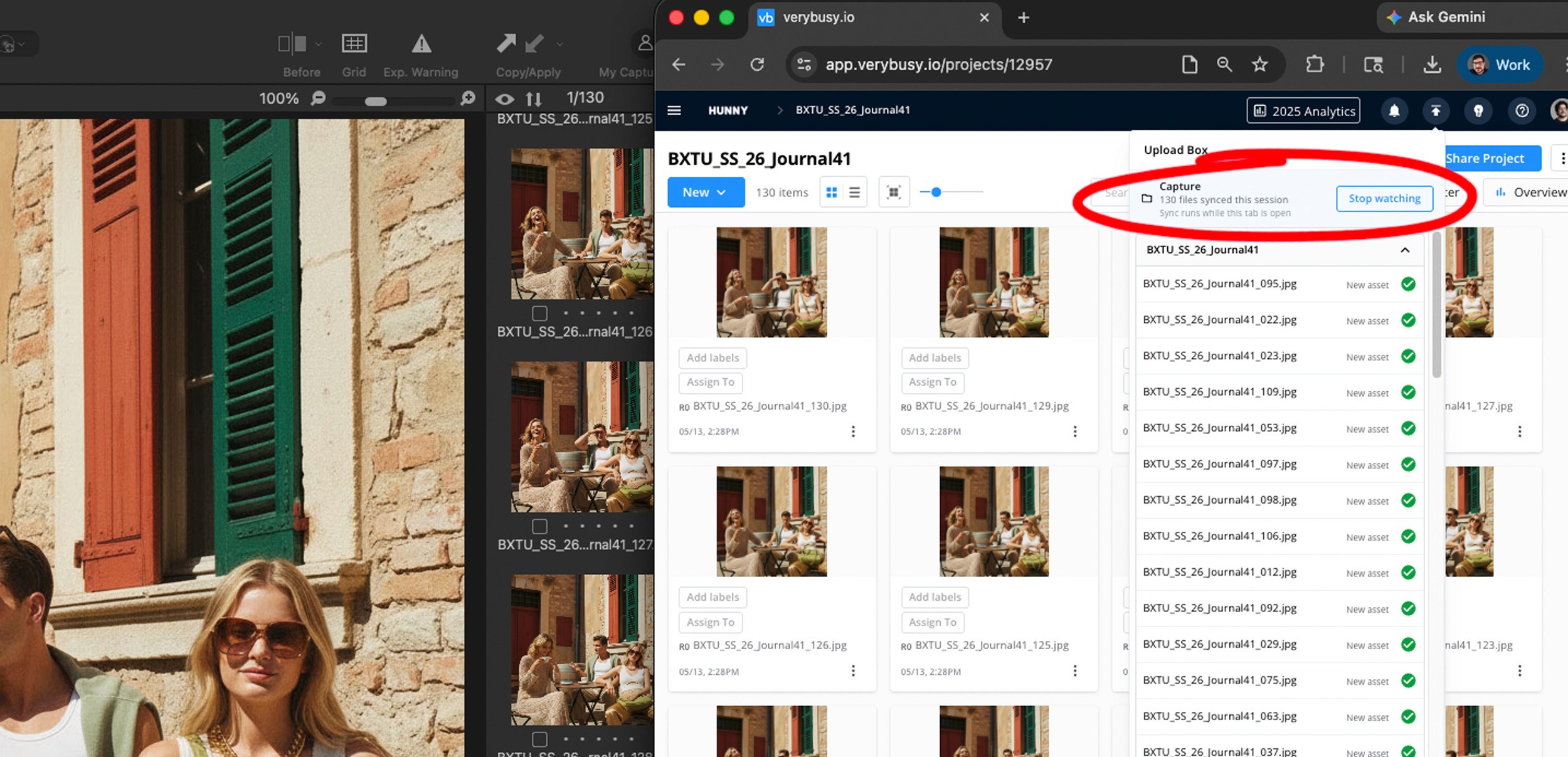
Watch Folders (beta): your shoot, streaming
Point VeryBusy to your capture or output folder. That's it.
Files land in your project within seconds. No upload step. Your art director can rate, comment, and mark up before the next shot is lit, allowing your retoucher to jump in immediately.
It runs while your browser is open and your computer is awake, which is usually a fair description of a shoot day anyway. No extra app or install needed.
A few ways to utilize Watch Folders
Shot by shot, full-res. Shoot to Capture One, make initial selects on set, process out as full-resolution TIFs. VeryBusy picks them up automatically. The art director and client refine selects and leave retouching notes in VeryBusy. Retouchers download the TIFs and start addressing the markups. On high-volume days, this workflow maintains momentum and keeps files moving.
RAW + JPG. Shoot RAW + JPG and point VeryBusy to your capture folder. The JPGs are auto-uploaded for fast remote viewing and select-making in VeryBusy. The RAW stays put for processing later.
Auto-process every capture. For even more control and speed, run our Capture One auto-process script, and every frame is processed upon capture with its Capture One adjustments and auto-uploaded to VeryBusy. Download our Capture One auto-process script.
This beta release is just the start. We’re building support for more file types and triggers. Metadata syncing and folder syncing are also in the works.
The next version will be shaped by people stress-testing these tools on real shoots every day. Turn it on, push it hard, tell us what breaks and what should come next. Getting your feedback is the whole point of beta. Checkout the documentation for Watch Folders.
Ready to get started?
Start today, and experience the impact of a fully upgraded set-to-retouching workflow.
Start for free
Star ratings
If you rate images in Capture One, those ratings now appear in VeryBusy. One to five, the same as your capture software.
Filter by rating, sort by rating, override when needed. Support is currently for JPEG and TIFF with embedded XMP. Raw sidecars are in the works. Small feature, big behavioral shift. The first pass is at your fingertips before the shoot even wraps.
Markup on iPad
Apple Pencil or finger—both are supported. Pinch to zoom, single-finger drag to pan, the same eight-color picker, same stroke range, same rounds and comments accessible to anyone in the project. No app to install, just open the browser and you’re off.
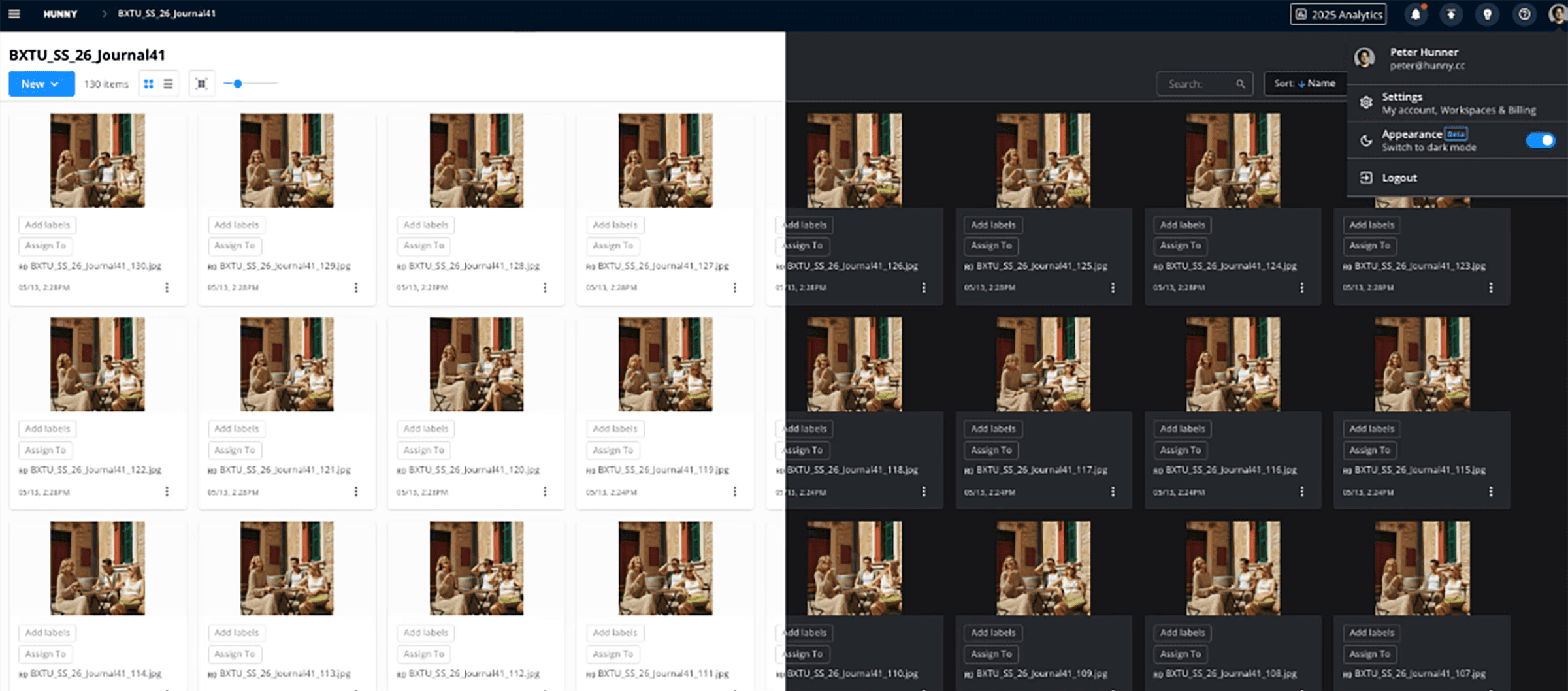
Bonus feature: dark mode is here!
Working in a dark studio? Viewing moody, dark images? This one is for you. The whole app changes in a split second, saved to your account, persistent across devices.
What it adds up to
No more re-explaining selects. No more retouchers starting from a cold open. No more art directors texting screenshots from set. No more "I'll send a folder over lunch."
These three releases are how production and post should work. Get the same conversation and same files from set in VeryBusy in real time.
We can’t wait for you to experience the difference it makes. If you haven't yet, be sure to signup for a free trial to see how these new features advance your current workflow.

Peter Hunner